
Native mobile app verification
Native mobile app verification lets you offer a fast, seamless identity verification experience on mobile—without requiring users to download your full app or integrate a mobile SDK.
Users complete verification directly through a native mobile experience. This can provide a smoother capture experience and richer device intelligence for fraud detection.
On iOS, this experience is powered by App Clips. For questions or support, please reach out to your Persona team.
Why use native mobile app verification?
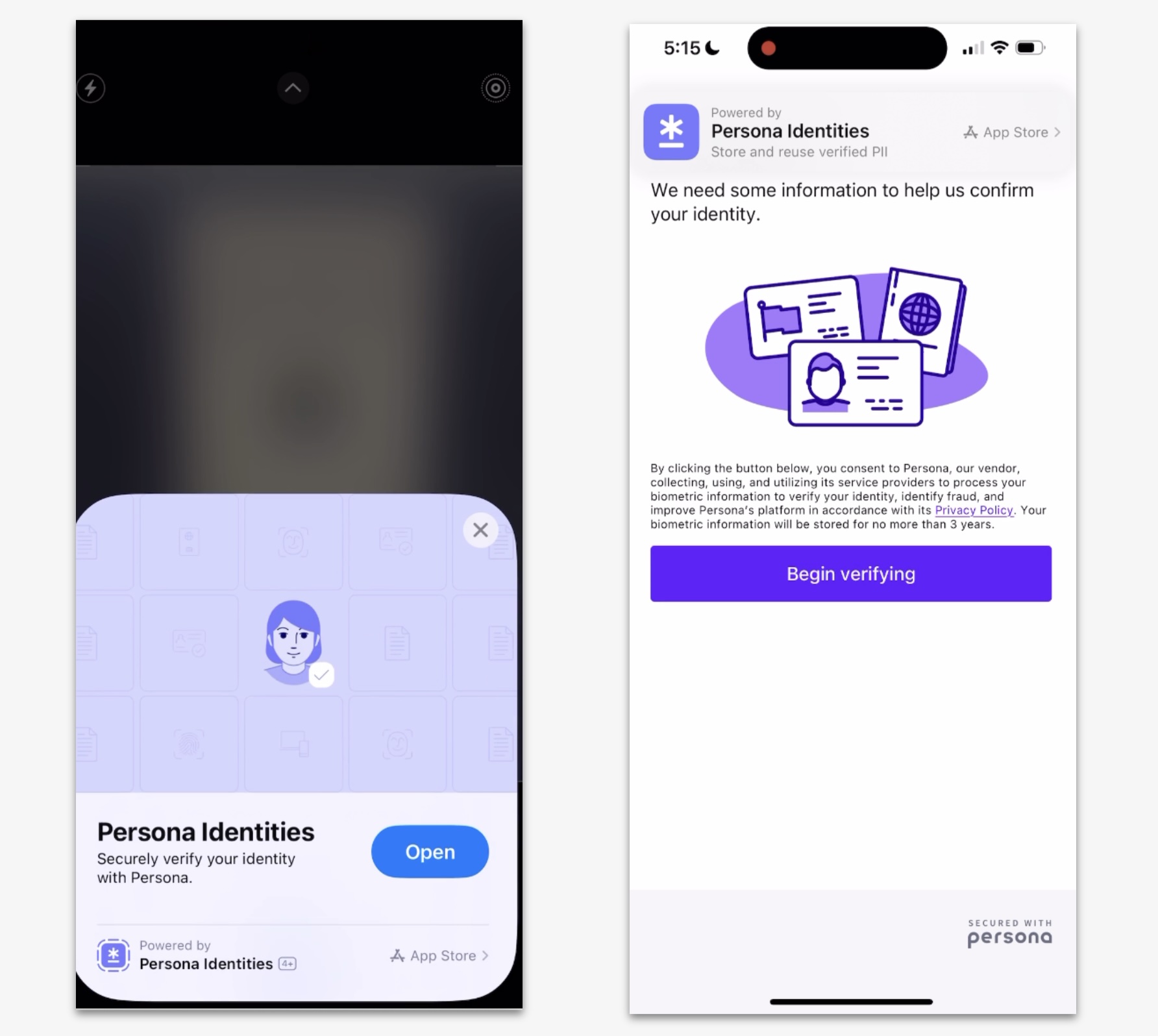
Native mobile app verification is a good option if:
- You want to provide a mobile-native experience without embedding an SDK
- You want to avoid increasing your app’s size
- You don’t have a mobile app, but want a better experience than a mobile browser
- You’ve run into issues with webviews or browser permissions (e.g. camera access)
- You want to improve fraud detection by collecting mobile-specific device signals (e.g. jailbroken/rooted device detection)
Note that while richer device signals help detect device tampering and many fraud vectors, they don’t detect a legitimate user who has been socially engineered into completing a verification. Read the section on native mobile app verification for account recovery or workforce below for recommended safeguards.
How it works
- You send users a link or QR code.
- On supported devices:
- The App Clip experience automatically opens.
- No installation is required.
- If the device doesn’t support App Clip:
- The link opens in the browser, like a standard hosted flow.
Following the deprecation of Android Instant Apps, there is no equivalent App Clip-style experience on Android. If the native mobile app verification is required on Android devices, users complete verification through the Persona Wallet app.
How the mobile native app flow compares to other integration types
| Integration type | User experience | Setup required |
|---|---|---|
| Hosted link | Opens in mobile browser | Easiest to set up |
| Native mobile app flow | Opens as a lightweight native app | No app install or SDK needed when App Clip used |
| Mobile SDK | Fully embedded in your app | Requires mobile development |
Key considerations when using native mobile app verification for account recovery or workforce
Because native mobile app verification often starts on one device (e.g. a desktop login screen) and completes on a phone, it involves a hand-off between two sessions. That hand-off enables a great capture experience—but if you’re using Persona in an account-recovery or workforce flow (e.g. gating a password reset), it’s important to know that whoever initiates the verification controls the session that proceeds once the verification succeeds.
Because verification can be initiated by anyone who reaches your login or recovery page, we recommend adding layers so that only the legitimate user can start and complete the flow:
- Restrict who can initiate. Where possible, configure your identity provider so account-recovery flows can only be started from a trusted device or network. (For Okta, this can be enforced via your Account Management Policy rules.)
- Turn on in-flow warnings. Enable messaging that reminds users they should be the person who initiated this request, and to stop if anyone contacted them asking them to complete it. No one from your team will ever call or text asking a user to complete a verification on their behalf.
- Add an attestation step. Require the user to confirm they started the request before proceeding.
- Educate your users. Include this in security-awareness training so employees know when to expect a Persona verification—and when not to.
Things to keep in mind
- Native mobile app flow only work on newer devices (e.g. iOS 17.6+).
- Some features, like NFC verification, may require the use of our Mobile SDK.
- Custom branding may need approval from Apple.`
Get started
You can find setup instructions in our integration guide.